

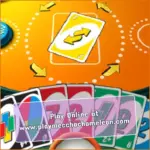
Uno Online
CodeThisLabUNO Online brings the familiar color-matching card game to your browser with quick rounds and simple click-or-tap controls. Your goal is to empty your hand before the computer-controlled opponents by matching the color, number, or symbol shown on the discard pile.
The rules are easy to understand, but the order in which you play your cards can change the result. A Reverse or Skip card may buy you another turn, while a Wild card can rescue a hand filled with the wrong colors. The difficult decisions often arrive when an opponent has only one or two cards remaining.
This page covers the one-player HTML5 browser version credited to codethislab. It can be played on desktop and supported mobile browsers without installing a separate application. The available features should not be confused with those of UNO! Mobile or Ubisoft’s paid PC and console game.
What Is UNO Online?
UNO Online is a browser-based card game inspired by the classic matching rules. Each participant receives a hand of cards, and the game places one card face up in the center. On your turn, you must select a card that matches the active color, number, or action symbol.
If you do not have a valid move, you draw from the face-down pile. The game continues until one participant successfully plays every card in their hand.
This particular browser edition is listed as a one-player game, meaning the other hands are controlled by the game rather than live players. Matches can begin immediately without waiting for online matchmaking or creating a private room.
How the Main Objective Works
Winning a round requires you to reduce your hand to zero cards. You can play a number card when either its number or color matches the top card on the discard pile. Action cards follow the same color-matching principle but also change what happens during the next turn.
Wild cards are more flexible because they allow you to select the next active color. They become especially useful when your hand contains no match or when changing the color could make an opponent draw.
When you are close to finishing, pay attention to the UNO declaration. Standard rules require a player to call UNO when only one card remains. The browser interface may display a button or handle part of this process automatically, depending on the current build.
UNO Card Types Explained
Number Cards
Number cards form most of the deck. You can play one when its color or number matches the card currently visible on the discard pile.
Skip Card
A Skip card prevents the next participant from taking a normal turn. It is particularly useful when the next opponent is close to emptying their hand.
Reverse Card
A Reverse card changes the direction of play. In digital matches, the interface automatically updates the turn order after the card is placed.
Draw Two Card
A Draw Two makes the next participant collect two cards and miss their turn under the standard rules. Some digital adaptations may apply different house rules automatically.
Wild Card
A regular Wild can be played regardless of the current color. After playing it, choose which color should continue the round.
Wild Draw Four Card
A Wild Draw Four changes the active color and forces the next participant to draw four cards. Under the standard tabletop rules, you may only use it when you do not have another card matching the current color.
Some browser adaptations simplify the Wild Draw Four rule or remove the challenge system. Follow the prompts shown by the version currently running on the page.
How to Play UNO Online
- Wait for the game to deal the starting hands and reveal the first discard card.
- Look for a card matching the active color, number, or action symbol.
- Click or tap a valid card to place it on the discard pile.
- Select the draw pile when you do not have a playable card.
- Choose a new color after using a Wild or Wild Draw Four card.
- Use action cards to interrupt opponents who are close to winning.
- Press the UNO control if the interface asks you to declare your final card.
- Play the last card in your hand before any opponent does to win the round.
UNO Online Controls
No keyboard combinations are needed for normal gameplay. The interface is controlled with a mouse on desktop computers and touchscreen gestures on compatible phones and tablets.
- Left Click or Tap: Select and play a valid card.
- Draw Pile: Click or tap the face-down deck to draw.
- Color Selector: Choose the next color after playing a Wild card.
- UNO Button: Declare that one card remains if the current interface provides this option.
- Menu Buttons: Start a match, adjust available settings, pause, or restart.
A playable card may be highlighted or raised automatically. If a card does not respond, check whether it matches the current color, number, or symbol before trying again.
When Should You Call UNO?
You should call UNO as you play your second-to-last card, leaving a single card in your hand. Under the standard rules, an opponent who notices a missed declaration before the next turn begins can apply a two-card penalty.
Digital versions handle this moment differently. Some display a dedicated button, while others automate the declaration or penalty. Watch the interface when your hand reaches two cards so you do not miss the available prompt.
Simple Strategies for Winning More Rounds
- Check your color balance: When playing a Wild, select the color you hold most often rather than choosing randomly.
- Watch opponent card counts: Save a Skip, Reverse, or draw card for an opponent who is close to winning.
- Do not keep every action card: Holding powerful cards for too long can leave you with a difficult final hand.
- Change an unhelpful color: Use a Wild when the active color does not match the stronger part of your hand.
- Keep more than one option: When possible, avoid using the only card that connects two different colors in your hand.
- Use high-impact cards carefully: A Draw Two is most valuable when the next opponent has very few cards.
- Plan your final two cards: Try to keep a flexible Wild or a pair of cards that can be played in sequence.
- Respect the Wild Draw Four restriction: Under standard rules, it cannot be played when you hold a card matching the active color.
How Color Management Improves Your Chances
Choosing the active color is one of the few moments when you can directly shape the next part of the round. Before using a Wild, count how many red, blue, green, and yellow cards remain in your hand.
Selecting your most common color gives you a better chance of having another playable card when the turn returns. However, if an opponent has repeatedly drawn cards on a particular color, switching back to that color may also put them under pressure.
This observation is not perfect because newly drawn cards can change an opponent’s hand. Use it as a helpful clue rather than assuming that someone has no cards of a specific color.
Should You Save Action Cards?
Action cards become more valuable near the end of a close round, but saving all of them can create problems. Wild and draw cards usually carry higher point values under traditional scoring, so being caught with several of them may be costly in versions that calculate scores.
A better approach is to keep one flexible card while continuing to reduce your hand. If the next opponent has only one card, use any available Skip, Reverse, or draw effect immediately instead of waiting for a supposedly perfect moment.
Game Specifications
| Specification | Details |
|---|---|
| Game Title | UNO Online |
| Developer Credit | CodeThisLab |
| Added to Y8 | August 15, 2024 |
| Technology | HTML5 |
| Platforms | Desktop and mobile web browsers |
| Input | Mouse and touchscreen |
| Player Mode | One-player browser game |
| Genre | Card and casual game |
Browser and Mobile Availability
UNO Online runs directly in a modern browser and does not require a standalone download. You can play using Chrome, Edge, Firefox, Safari, or another browser with current HTML5 support.
The interface also supports touchscreen input on compatible mobile devices. Tap cards and on-screen buttons just as you would click them with a mouse. Performance can vary depending on the device, browser, available memory, and website hosting the game.
An internet connection is normally required to load the browser version. It is not presented as a downloadable offline application.
Browser Version and Official UNO Games
This page covers the HTML5 browser game distributed under the title UNO Online and credited to codethislab. It should not be described as the official Mattel digital edition unless the distributor provides proof of an official licence.
The official UNO! Mobile app is developed by Mattel163 and includes separate features such as Quick Play, 2v2, Room Mode, events, accounts, and in-app purchases.
Ubisoft also publishes a separate paid version for PC and consoles. Features from the Mattel163 and Ubisoft releases do not automatically apply to this free browser build.
Does UNO Online Use Official Scoring?
In standard UNO, the participant who empties their hand receives points based on the cards still held by the other players. The first player to reach 500 points wins the complete game.
Browser adaptations may use a single-round victory or a simplified scoring system instead. If the interface ends the match immediately after one hand is cleared, treat that as the winning condition for the current version.
Games Similar to UNO Online
- Four Colors: Match cards by color or number and use action cards against computer-controlled opponents.
- Crazy Eights: Discard matching cards while using eights to change the active suit.
- Phase 10: Complete sets, runs, and other card combinations across a series of phases.
- Skip-Bo: Build numerical piles in sequence and try to clear your personal stockpile first.
Frequently Asked Questions
Is UNO Online free to play?
Yes. The HTML5 browser version can be played for free without purchasing or installing a separate game. Advertising may depend on the hosting website.
Can I play UNO Online in my browser?
Yes. The game runs directly in modern desktop and mobile browsers with no plugins or standalone installation required.
Can I play on a mobile device?
Yes. Compatible phones and tablets can use touchscreen controls to select cards, draw, choose colors, and interact with the menus.
Can I play with friends?
The codethislab version is listed as a one-player browser game. Private rooms and live online multiplayer are not confirmed for this build.
Who developed this browser version?
The Y8 distribution page credits codethislab as the developer of the browser version covered in this guide.
Is this the official Mattel UNO app?
No. This is a separate HTML5 browser adaptation. The official UNO! Mobile app is produced by Mattel163.
Do I play against bots?
The game is categorized as a one-player title, indicating that the other hands are controlled by computer opponents rather than live players.
What happens if I forget to call UNO?
Standard rules apply a two-card penalty when a missed declaration is caught before the next turn. The digital interface may automate this rule or display an UNO button.
Can I play a Wild Draw Four at any time?
Under standard rules, no. You may only play it when you do not have another card matching the active color. The browser build may enforce or simplify this restriction.
Can I stack Draw Two or Wild Draw Four cards?
Stacking is not part of the standard classic rules. Some digital games include it as a house rule, but it should not be assumed to work in this browser version.
Can I play offline?
No. An internet connection is normally needed to load and run the game through its hosting website.
Do I need to create an account?
No account is normally required to begin a browser match. Optional accounts offered by the hosting platform may be used for bookmarks or other site features.
Is UNO Online Worth Playing?
UNO Online works well when you want a short card match without setting up a physical deck or waiting for other people to join. The computer-controlled opponents keep each round moving, while action and Wild cards create enough uncertainty to make simple decisions matter.
Focus on reducing your hand, choose Wild colors carefully, and keep one useful action card for the final turns. Most importantly, watch your card count so you are ready to call UNO before playing for the win.