
Hunter and Props
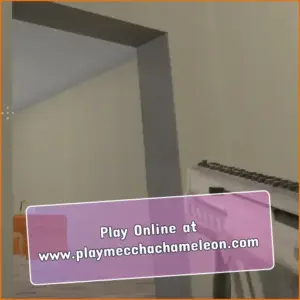
DimofanAt first glance, the room looks completely ordinary. Chairs sit beside tables, boxes are stacked against the walls, and nothing seems suspicious. Then one of those objects suddenly moves. Hunter and Props turns familiar 3D environments into a tense multiplayer contest where any piece of furniture could be another player in disguise.
Each match divides players into two teams. Props copy objects from the map and try to blend into the scenery, while Hunters search the area and eliminate anything that appears out of place. It is a simple idea, but the combination of observation, movement, memory, and deception makes every round feel different.
The game is also known as Hunters and Props on the developer’s page. Whether you prefer hiding in plain sight or carefully checking every corner with a weapon and PropFinder, success depends on understanding both sides of the match.
What Is Hunter and Props?
Hunter and Props is a 3D online multiplayer game that combines hide-and-seek with first-person shooting. One team plays as Props, while the other takes the role of Hunters.
During the opening phase, Hunters cannot see the map, giving Props a short opportunity to choose an object and find a convincing hiding place. When the search begins, Hunters must inspect the environment, identify disguised players, and eliminate them before the round timer expires.
The Props win by remaining hidden until the end of the round. The Hunters win if they locate and eliminate every disguised player in time. Shooting random objects is a risky strategy because incorrect shots can reduce a Hunter’s health.
How to Play Hunter and Props
Playing as a Prop
As a Prop, your objective is to disappear into the environment. Approach an object that suits your hiding plan and use the transformation control to copy it. You can then move and rotate your disguise until it looks naturally positioned.
- Choose an object that already appears several times in the room.
- Place yourself where that object would logically belong.
- Rotate your disguise so it matches nearby furniture.
- Avoid moving while a Hunter is watching your area.
- Keep an escape route in mind in case your position is discovered.
A box placed beside other boxes can be difficult to notice, while the same box sitting in the middle of a bedroom will immediately attract attention. A successful hiding place is not always the darkest corner; it is often the location that looks the most normal.
Playing as a Hunter
Hunters must search methodically instead of firing at every object they see. Pay attention to duplicated furniture, unusual angles, small movements, and objects that do not fit the room.
- Memorize the general layout before checking individual objects.
- Look for furniture that is floating or facing the wrong direction.
- Use the PropFinder when it is available instead of wasting health.
- Listen for movement and audio taunts that may reveal a nearby Prop.
- Check believable hiding areas before investigating random corners.
Patience matters. A careful Hunter who notices small inconsistencies is usually more effective than one who runs through the map firing without a plan.
Hunter and Props Controls
The controls can vary slightly between the browser and downloadable builds. The following inputs are commonly used in the WebGL version.
Hunter Controls
- WASD or Arrow Keys: Move around the map.
- Mouse: Look and aim.
- Left Mouse Button: Fire the selected weapon.
- Spacebar: Jump.
- R: Reload in supported browser builds.
- Shift: Sprint in builds that support this control.
Prop Controls
- WASD or Arrow Keys: Move while disguised.
- Spacebar: Jump.
- E: Copy or transform into a nearby object.
- Right Mouse Button: Rotate or change the facing direction of the Prop.
- Q: Play an audio taunt in supported versions.
The developer’s Windows guide also lists number keys for selecting Hunter equipment: 1 for the SMG, 2 for the shotgun, 3 for the PropFinder, and 4 for the grenade. Check the in-game guide because not every browser build uses the same equipment layout.
How the PropFinder Works
The PropFinder gives Hunters a more tactical way to search. In versions that include this tool, its indicator shows when the device is ready. Activating it scans the surrounding area for disguised players.
A green result indicates that at least one Prop is nearby, while a red result means that the scan did not detect a Prop in the area. A successful scan may also force nearby Props to play an audio taunt, making their location easier to narrow down.
The tool does not reveal the exact object, so Hunters still need to observe the room carefully. It is most effective after checking obvious hiding locations and reducing the number of suspicious items.
Hunter and Props Game Details
| Original Release Date | July 30, 2014 |
|---|---|
| WebGL Version | December 2017 |
| Developer | Dimofan |
| Collaborator | Kashlya |
| Technology | Originally Unity Web Player; later Unity WebGL |
| Genre | 3D multiplayer prop-hunt shooter |
| Platforms | Desktop browser and downloadable Windows build; availability on other platforms may vary |
| Game Mode | Online team multiplayer |
You can find additional development information and downloadable builds on the official Dimofan game page.
Best Strategies for Props
Copy an Object That Fits the Room
Your disguise should make sense in its surroundings. Kitchen objects belong near counters and tables, while crates are more convincing in storage areas. Hunters often notice context before they notice movement.
Avoid Unnatural Placement
After transforming, check your angle and position. An object floating above the floor, clipping through a wall, or facing a different direction from identical items can reveal your disguise immediately.
Do Not Move Too Early
Running as soon as a Hunter enters the room usually confirms that you are a player. Stay still unless the Hunter has already discovered you or your health is in immediate danger.
Use Taunts Carefully
Audio taunts can distract or confuse the Hunters, but they also provide a clue to your location. Use them when you have enough distance or several possible hiding spots nearby.
Best Strategies for Hunters
Search One Area at a Time
Moving randomly between rooms makes it easy to miss important details. Finish checking one area before continuing to the next, especially when the round timer is running low.
Compare Similar Objects
If a room contains several identical chairs or boxes, compare their positions and angles. A disguised player may be slightly misaligned with the original map objects.
Protect Your Health
Random shooting can quickly leave you vulnerable. Investigate visual clues first and fire only when an object appears genuinely suspicious. In supported builds, eliminating a Prop restores part of the Hunter’s health.
Use Movement to Create Pressure
Walk around suspicious objects and change your viewing angle. Props sometimes panic when a Hunter gets too close, causing them to move and expose their position.
Platform and Browser Availability
The WebGL edition of Hunter and Props was created for desktop browser play and uses keyboard-and-mouse controls. A modern browser with WebGL enabled provides the most suitable setup for the browser version.
The developer also provides a downloadable Windows build. Android availability has previously been listed by browser-game platforms, but current support can vary. Check the platform hosting the game before making assumptions about mobile controls, downloads, accounts, or server access.
Because the game is built around real-time multiplayer, an internet connection and an available game server are normally required.
Games Similar to Hunter and Props
- Hide Online
- Simply Prop Hunt
- Kogama: Hide and Seek
- Prop Hunt.io
- Garry’s Mod Prop Hunt
Hunter and Props FAQ
Is Hunter and Props free to play?
The browser version is available for free on supported gaming platforms. The developer’s Windows builds are also listed on the official game page.
Is Hunter and Props an online multiplayer game?
Yes. The game is designed around online matches between a team of Hunters and a team of Props.
How do I transform into an object?
Move close to the object you want to copy and press E. You can then use the movement and rotation controls to position your disguise.
Can Props move after transforming?
Yes. Props can move and jump while disguised, although moving in front of a Hunter will make them much easier to identify.
What happens when a Hunter shoots the wrong object?
Incorrect shots can reduce the Hunter’s health. This mechanic prevents players from winning by shooting every object without checking it first.
What is the PropFinder?
The PropFinder is a Hunter tool that scans the surrounding area. It can indicate whether one or more Props are nearby without revealing their exact disguises.
Can I play Hunter and Props with friends?
The game supports multiplayer rooms, but friend invitations and private-room options can depend on the active build and hosting platform.
Do I need an account?
Account requirements are controlled by the platform hosting the game. Some portals may allow guest play, while others may require an account for multiplayer or progress features.
Can I play offline?
Hunter and Props focuses on real-time online multiplayer, so it is not designed as a traditional offline single-player game.
How do Props win a round?
The Props win by avoiding elimination until the round timer expires. Hunters must find and eliminate every disguised player before time runs out.
Is Hunter and Props Worth Playing?
Hunter and Props works because both roles demand a different kind of skill. Props rely on creativity, positioning, and self-control, while Hunters need observation, memory, and careful weapon use. Switching between those perspectives keeps the matches unpredictable without making the basic rules difficult to understand.
The game may look like a straightforward hide-and-seek shooter, but its best moments come from the mind games between players. A perfectly placed box can survive an entire search, while one nervous movement can expose a disguise in seconds. Learn the maps, use each tool with purpose, and never assume that an ordinary chair is only a chair.